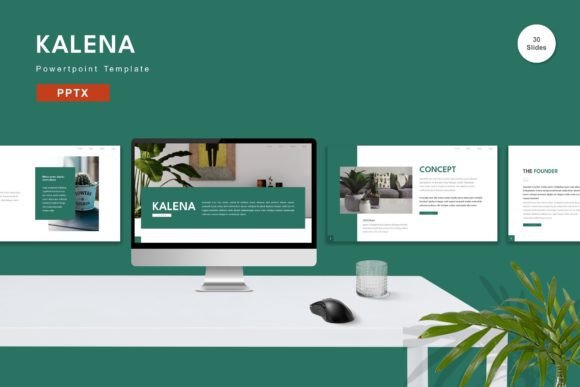
Kalena - Powerpoint Template for All
In the world of digital communication, a presentation is often the bridge between a complex idea and a clear understanding. Whether you are pitching a startup to investors, teaching a semester-long course, or organizing a personal portfolio, the visual container for your message matters as much as the message itself. This is where the Kalena - Powerpoint Template steps in, offering a robust, versatile, and highly editable framework designed to elevate any project from standard to standout. It is not merely a collection of slides; it is a toolkit for clarity, consistency, and creative expression.
Designed for Flexibility and Professional Impact
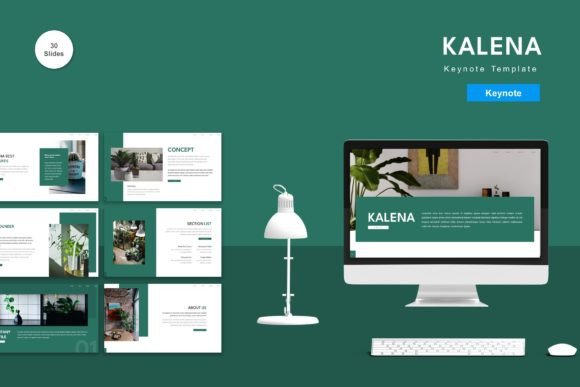
The core strength of the Kalena template lies in its adaptability. Many professionals struggle with templates that feel rigid, forcing content into shapes that do not fit. Kalena avoids this pitfall by ensuring every element is fully editable. You can input your specific content, replace placeholder images with your own high-resolution assets, and adjust the color palette to match your brand identity without needing advanced design skills. The template includes five premade color schemes, providing an immediate starting point for different moods—from corporate blue and professional gray to vibrant accents for creative industries.
Beyond aesthetics, the structural integrity of the file is built on vector-based master slides. This technical foundation ensures that graphics remain crisp at any resolution and that layout changes propagate consistently across the entire deck. With 150 total slides included, the template offers a comprehensive library of layouts, including title pages, section dividers, data visualization charts, and comparison tables. For those who prefer a more curated approach, there are also 30 specifically highlighted useful slides that serve as the backbone for most standard presentations. This balance between abundance and curation allows users to find exactly what they need without getting lost in options.
Creative Applications Across Industries
The versatility of the Kalena - Powerpoint Template makes it suitable for a wide range of audiences and goals. Let us explore how different professionals can leverage this tool to achieve their specific objectives.
For Entrepreneurs and Marketers
When pitching to investors or presenting a marketing strategy, credibility is paramount. Kalena provides a clean, modern aesthetic that signals professionalism. The inclusion of animated slides adds a layer of dynamism that can keep an audience engaged during critical moments, such as revealing key metrics or product features. By utilizing the drag-and-drop functionality, marketers can quickly assemble a pitch deck that looks polished and cohesive. The ability to customize colors means the final presentation aligns perfectly with existing brand guidelines, reinforcing brand recognition.
For Educators and Trainers
Teachers and corporate trainers require tools that facilitate learning rather than distract from it. The recommended free web fonts included in the package ensure high readability, which is essential for educational content. The variety of slide layouts allows educators to break up text-heavy lectures with engaging infographics and image galleries. Furthermore, the widescreen format (16:9) is optimized for modern classroom projectors and video conferencing platforms like Zoom or Teams, ensuring that content fills the screen appropriately without awkward black bars.
For Freelancers and Creatives
Freelancers often need to present portfolios or case studies that showcase their unique style. While Kalena comes with premade colors, its editable nature allows designers to push the boundaries. You can swap the default typography for custom pairings, introduce new textures, or rearrange the master slide elements to create a bespoke look. The 5 PPTX files included in the download provide variations that can be mixed and matched, allowing for a personalized touch while maintaining the underlying structure of a professional presentation.
Maximizing Efficiency with Smart Features
Time is a valuable resource, and the Kalena template is engineered to save it. The "Just Drag and Drop" capability simplifies the process of inserting media and text. Instead of manually resizing images or fighting with alignment guides, users can focus on the narrative flow of their presentation. The Readme file included in the package serves as a quick-start guide, helping users navigate the file structure and understand how to access the different color variants and slide masters.
One of the most significant advantages is the inclusion of animated transitions. These are not gimmicks but functional tools to guide the audience's attention. When used correctly, animation can reveal information step-by-step, preventing cognitive overload. However, the template encourages restraint; the animations are subtle enough to enhance the presentation without overwhelming the viewer. This balance is crucial for maintaining a professional tone.
Practical Tips for Customization
To get the most out of the Kalena - Powerpoint Template, consider these practical recommendations:
- Stick to One Color Palette: While five premade colors are available, choose one that best suits your topic and stick to it throughout the deck. Consistency builds trust and reduces visual clutter.
- Leverage Master Slides: If you need to change the logo placement or footer information, do it in the Slide Master view. This ensures the change applies to all 150 slides instantly, saving hours of manual editing.
- Use High-Quality Images: Since the template supports widescreen formats, low-resolution images will appear pixelated. Always use high-definition photos to maintain the premium feel of the design.
- Simplify Text: Use the provided bullet points and text boxes as guides, not containers for paragraphs. Presentations should support your speech, not replace it.
A Foundation for Clear Communication
Ultimately, the goal of any presentation is to communicate effectively. The Kalena - Powerpoint Template removes the friction of design, allowing creators to focus on their core message. Whether you are a small business owner explaining your quarterly results or a hobbyist sharing a passion project, the template provides a structured yet flexible environment to do so. Its combination of 150 slides, vector graphics, and easy customization ensures that your work looks intentional and polished.
By integrating this template into your workflow, you gain access to a system that respects both your time and your audience's attention. It bridges the gap between raw ideas and professional delivery, making it an essential asset for anyone serious about their visual communication. With the included readme information and straightforward editing tools, you can start creating compelling narratives immediately. The result is a presentation that is not only visually appealing but also functionally superior, ready to meet the demands of any business or personal need.